
Google AI Mode temporary threads: how to search without history
Temporary threads in Google AI Mode aren't saved to your history or used for personalization. Start one from the top-right icon, on desktop or mobile.
Checked and updated 19 November 2026 at 15:21 UTC
Key points
- Temporary threads let you ask Google's AI Mode questions that are not saved to your history and don't shape future answers.
- Start one with the temporary threads icon in the top-right corner of AI Mode. No settings change is needed, and closing the thread ends it for good.
- Google announced it on November 17, 2026. It is rolling out worldwide in desktop and mobile browsers, in every language AI Mode supports.
Google's AI Mode now has a private-style mode called temporary threads: questions you ask there are not saved to your history and don't change what Google shows you later. To start one, click the temporary threads icon in the top-right corner of AI Mode. Google announced it on November 17, 2026, and it is rolling out worldwide in desktop and mobile browsers.
Google's own examples are planning a surprise gift or looking something up that you don't want popping up again later.
What a temporary thread does and doesn't do
| Normal AI Mode | Temporary thread | |
|---|---|---|
| Saved to your history | Yes | No |
| Uses your past preferences | Yes | No |
| Affects future personalization | Yes | No |
| Can be reopened later | Yes | No, closing it ends it |
| Needs a settings change | n/a | No |
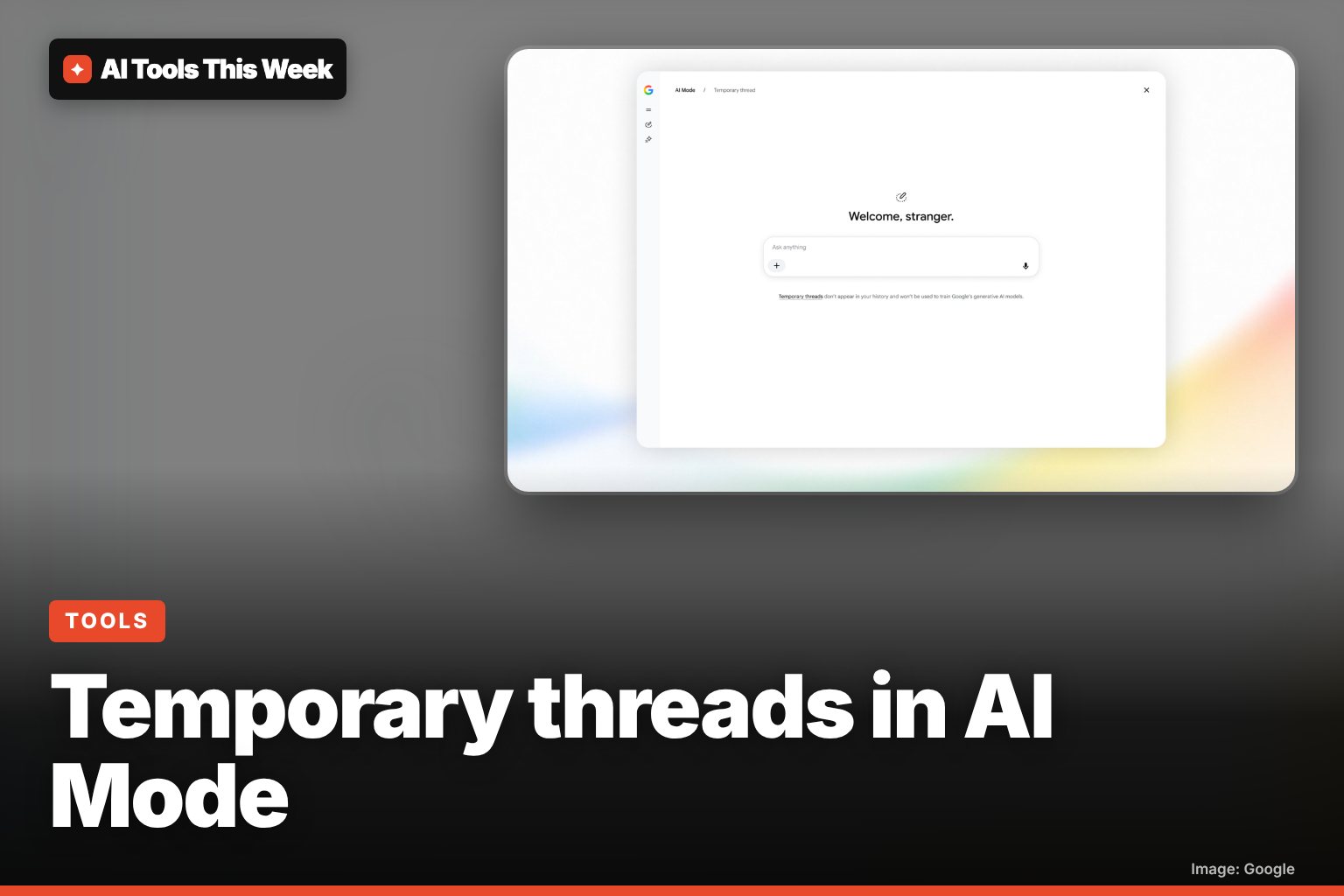
Google's screenshot of the feature adds one more line: temporary threads "won't be used to train Google's generative AI models". Google's blog describes each temporary thread as detached from your account.
How to start a temporary thread
- Go to Google Search in your browser and open AI Mode.
- Look in the upper-right corner for the temporary threads icon and click or tap it. The screen changes to an empty "Welcome, stranger." page.
- Ask your question as normal. Follow-up questions stay in the same temporary thread.
- When you are done, close it or switch back to a regular session. The thread is gone; there is no way to open it again.
If you don't see the icon yet, the rollout has not reached you. Google says it is coming to all languages AI Mode supports, so try again in a few days.
Temporary thread vs Incognito mode
Incognito mode in Chrome stops the browser from saving your history on your device, but if you are signed in to a site, that site can still log what you do. A temporary thread works on Google's side: AI Mode itself does not store the conversation in your history or use it to personalize you. They solve different problems, and you can use both together.
Two things a temporary thread does not do:
- It does not hide your activity from your network. A school, employer or internet provider can still see you visited Google.
- It does not stop the AI from making mistakes. Answers are still AI-generated, so check the links before acting on anything important.
Why this matters
AI Mode remembers more about you than old-style search, and that personalization is useful most of the time. The catch is when one odd search (a medical worry, a gift, a work question) shapes your results for weeks. Temporary threads give you a one-off clean slate without digging through privacy settings. It also arrives as schools question how AI is woven into Google Search; we covered that in Google's new school-account rules for AI search.
For more on how Google's AI keeps context, see our explainer on Gemini's memory summary, and for the free-versus-paid question, is Gemini free?
Frequently asked questions
How do I start a temporary thread in Google AI Mode?
Open AI Mode in Google Search and click or tap the temporary threads icon in the upper-right corner. You can switch back to a normal session when you are done.
Are AI Mode temporary threads private?
They are not saved to your Search history, are not used for recommendations and are not tied to your past preferences. Google's screen also says they won't be used to train its generative AI models. Your network, school or employer can still see that you visited Google.
Can I get a temporary thread back after closing it?
No. Once you close a temporary thread it is gone, so copy anything you need before you leave.
Sources
Related
Google Assistant and Nest app shutdown: Jan 25 and Aug 2, 2027 dates
Google retires the Nest app on Jan 25, 2027 and removes Google Assistant from speakers and displays on Aug 2, 2027. What to do and what Gemini costs.
Gemini computer use on Mac: what it does and who gets it
Gemini for Mac can now click, type and fill forms in your apps in a background window. US English only, Apple Silicon, AI Plus, Pro or Ultra plan.
Genie 4: Google's AI world maker, who can use it and is it free
Genie 4 rolled out on Nov 18, 2026 in Project Genie, but only for Google AI Ultra subscribers. AI Pro users can join a waitlist. What it does, how to try it.