
Gemini computer use on Mac: what it does and who gets it
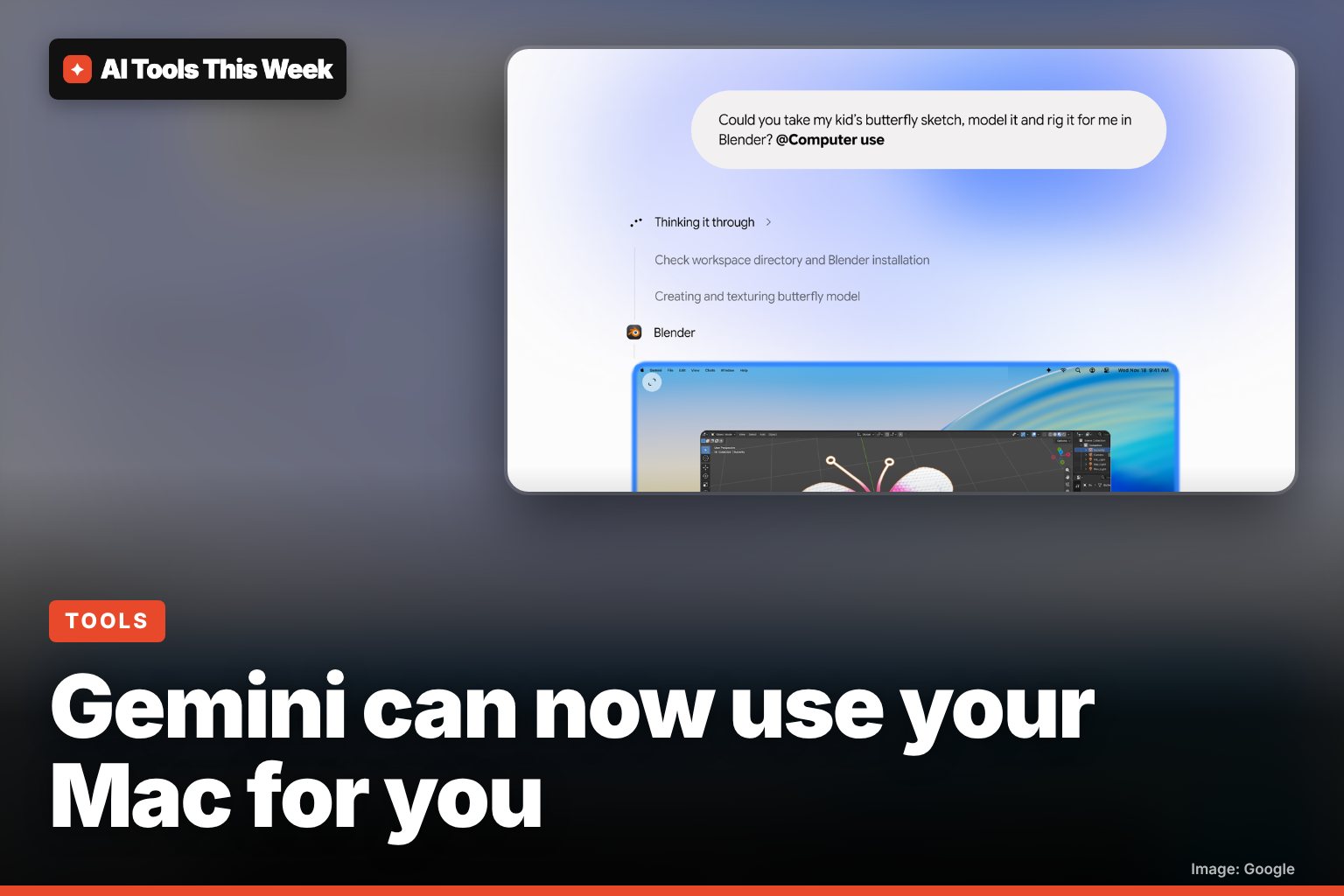
Gemini for Mac can now click, type and fill forms in your apps in a background window. US English only, Apple Silicon, AI Plus, Pro or Ultra plan.
Checked and updated 19 November 2026 at 21:45 UTC
Key points
- Since November 19, 2026, the Gemini app for Mac can operate desktop apps, local files and websites for you, clicking, typing and filling in forms.
- It works in a separate background window with a live preview in the chat, so your own screen and cursor stay free, and it stops for logins, payments and sensitive actions.
- It is rolling out in English in the US only, on Apple Silicon Macs with macOS Sequoia 15.0 or later, for adults with a Google AI Plus, Pro or Ultra plan.
Gemini can now use your Mac for you. Since November 19, 2026, the Gemini app for Mac has a "computer use" mode that clicks, types, opens menus and fills in forms across your desktop apps, local files and websites, Google announced. It is for paying Google AI Plus, Pro and Ultra subscribers in the US, in English, on Apple Silicon Macs.
You describe a chore in plain words, and Gemini does the clicking. The twist compared with older "AI takes over your screen" demos: it works in a separate background window, so you can keep using your Mac while it runs.
What Gemini computer use can do
Google's announcement gives four examples of the kind of work it is built for:
| Task type | Google's example |
|---|---|
| Creative work | Batch color-grade photos in a design app, or set up a complex 3D scene |
| Form filling | Read weights, sizes and addresses from PDFs on your Mac and fill out multi-box shipping quotes |
| Reports | Collect numbers and screenshots from live dashboards and build a Google Slides deck |
| Selling online | Look at clothing photos in a folder, research prices, note item details and prepare listings on resale sites |
9to5Google reports that new "Desktop" apps, such as Blender and Autodesk Fusion, now show up in the app's connector settings next to the existing Git and Obsidian links.
Who can use it
| Requirement | Detail |
|---|---|
| Plan | Google AI Plus, Pro or Ultra (not the free tier) |
| Country and language | United States, English |
| Mac | Apple Silicon (M-series chip) |
| macOS | Sequoia 15.0 or later |
| Account | Personal Google account, age 18+ (work and school accounts are not listed) |
| Start date | Rolling out from November 19, 2026, so it may take a few days to reach you |
On price: Google's plans page lists Google AI Pro at $19.99 a month (or $199.99 a year) in the US, and offers Pro free for one year to verified students. If you only use the free Gemini app, you will not see computer use. Our guide to whether Gemini is free explains what each plan includes.
How to start a task
- Download or update the Gemini app from gemini.google/mac.
- In a new chat, type @Computer use and then describe the job, for example "Fill in the shipping quote on this site using the dimensions in the PDFs in my Invoices folder".
- Choose which apps Gemini is allowed to use when it asks.
- Watch the live preview in the chat. You can pause or stop at any point.
- When Gemini reaches a login, a payment or another sensitive step, it stops and asks you to approve before it continues.
How it keeps you in control
Google lists four safety controls: you pick which apps Gemini can access, you can watch every step live, you can pause it at any time, and you approve key actions before they happen. That still leaves room for mistakes. An AI agent working through menus can pick the wrong file or the wrong field, so start with low-stakes jobs and check the result before you send or submit anything. Our explainer on what an AI agent is covers the general risks.
How it compares
Computer use is not new as an idea. OpenAI has been adding agents that operate software too (see ChatGPT's computer-use agents for healthcare), and Google already lets Gemini run scheduled jobs with Gemini Tasks. What is different here is that Gemini works directly with the apps installed on your Mac, not only websites in a browser, and does so in the background rather than taking over your cursor.
Should you turn it on?
It is worth trying if you already pay for Google AI Pro or Ultra and have boring, repeatable jobs: renaming and sorting files, copying numbers from PDFs into forms, or building the same weekly slide deck. Give it access only to the apps the task needs, and keep sensitive apps (banking, password managers) off the list.
AI Tools This Week is not affiliated with Google or Apple.
Frequently asked questions
Is Gemini computer use on Mac free?
No. Google says it is for Google AI Plus, Pro and Ultra subscribers. The free Gemini app for Mac does not include it. Google AI Pro is $19.99 a month in the US, and students can get Pro free for a year after verification.
How do I turn on computer use in Gemini for Mac?
Update or download the Gemini app from gemini.google/mac, then type "@Computer use" in your prompt and describe the task. You choose which apps Gemini may use, and you can pause or stop it at any time.
Can Gemini take over my Mac while I'm working?
No. Google says Gemini works in an isolated background window and shows a live preview in the chat, so your own screen and cursor stay free while it works.
Sources
Related
Google Assistant and Nest app shutdown: Jan 25 and Aug 2, 2027 dates
Google retires the Nest app on Jan 25, 2027 and removes Google Assistant from speakers and displays on Aug 2, 2027. What to do and what Gemini costs.

Genie 4: Google's AI world maker, who can use it and is it free
Genie 4 rolled out on Nov 18, 2026 in Project Genie, but only for Google AI Ultra subscribers. AI Pro users can join a waitlist. What it does, how to try it.
Gemini Live on Google Home speakers: faster upgrade, $10/month
A faster Gemini Live is coming to Google Home speakers and displays, with timers and smart home control mid-chat. It needs Home Premium ($10/month).