
Gemini on Android Auto: 5 privacy settings to check first
Gemini in Android Auto can now read your Gmail, Calendar, Photos and Maps. Five settings to check before you drive, with exact menu paths.
Checked and updated 15 November 2026 at 15:30 UTC
Key points
- Since October 20, Gemini in Android Auto can use Personal Intelligence, drawing on Gmail, Calendar, Photos, Maps, YouTube and Search to answer questions like "What's my flight gate?"
- It's opt-in, but if you already turned it on in the Gemini app on your phone, it carries over to the car automatically.
- You choose which apps are connected under Personal Intelligence > Connected Apps in the Gemini app, and anyone in the car can talk to Gemini, so review it before passengers ride along.
Gemini in Android Auto can now look into your Gmail, Calendar, Google Photos and Maps history to answer questions while you drive, but only if you switch on a feature called Personal Intelligence. Before you or your passengers use it, check five settings: whether it's on, which apps are connected, who's in the car, what gets saved, and "Hey Google".
Google started rolling Personal Intelligence out to Android Auto on October 20, 2026, and it's coming to cars with Google built-in "in the coming months" (Google blog). It's rolling out gradually, so here's a quick check before your next trip.
What Personal Intelligence does in the car
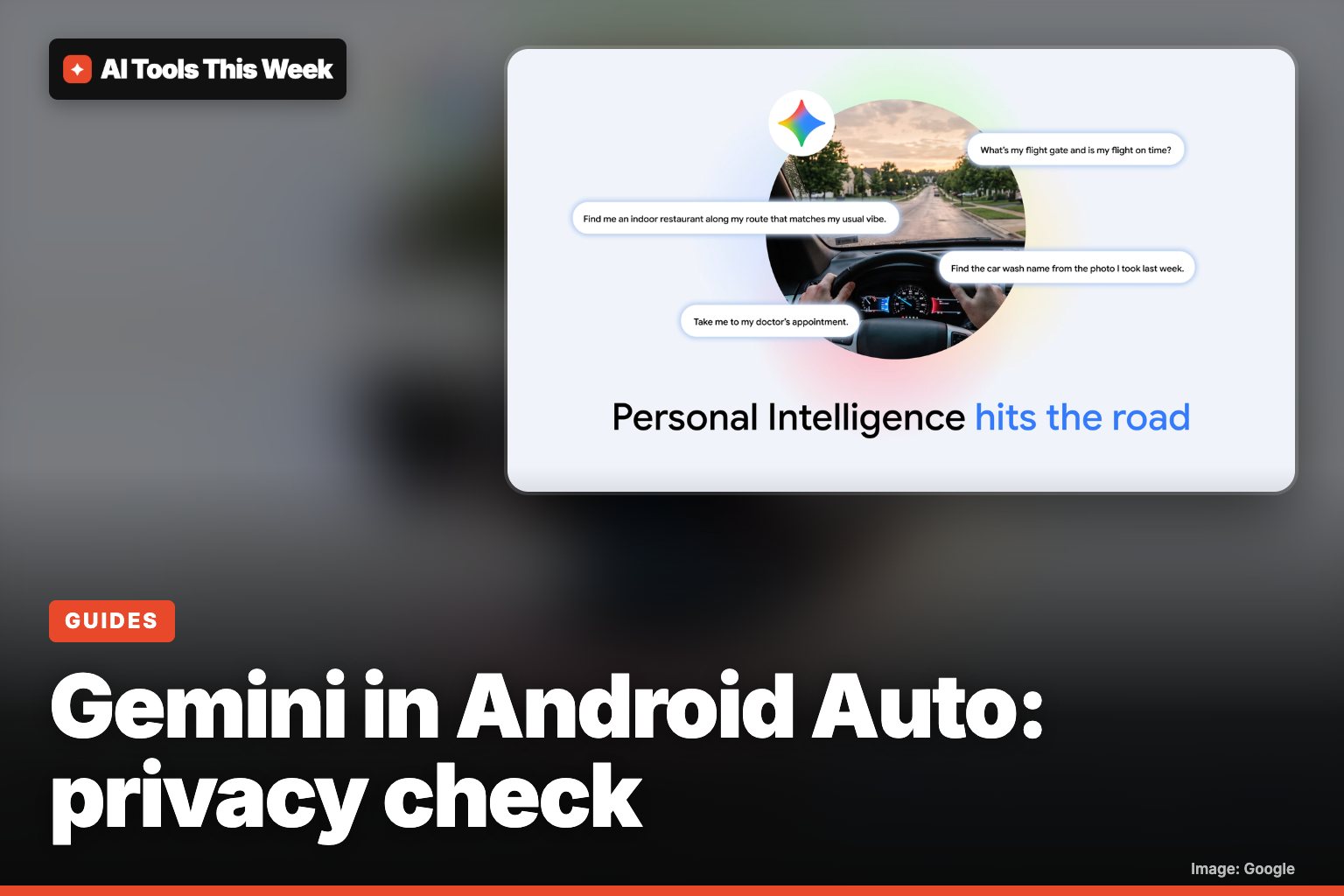
With it on, Gemini can combine your own data with what it knows about the trip. Google's examples:
- "What's my flight gate? And is my flight on time?" (reads the booking email, checks delays)
- "Take me to my doctor's appointment." (finds it in your calendar, no address needed)
- "Find the car wash from the photo I took last week and navigate there."
- "Find me an indoor restaurant along my route that matches my usual vibe."
Without it, Gemini still handles navigation, music, calls, messages and general questions. The answers just aren't tailored to you.
Who gets it: personal Google accounts, ages 18 and up. It's not available in the European Economic Area, Switzerland, the UK or Nigeria, or on work, school or supervised accounts. Your phone needs Android 11 or newer, at least 2 GB of RAM and Gemini set as its digital assistant (Gemini help).
Check 1: Is it already on?
Personal Intelligence is opt-in, but there's a catch: if you turned it on in the Gemini app on your phone, it carries over to the car automatically. If you tapped "Connect all" on your phone earlier, that choice now applies on the road too.
To check, open the Gemini app on your phone, tap Menu, then your profile picture, then Personal Intelligence.
Check 2: Which apps are connected
In the same place, tap Connected Apps. Turn off any app you don't want Gemini to use (Google help). The list can include:
| App | What Gemini can draw on |
|---|---|
| Google Workspace | Gmail, Calendar, Drive |
| Google Photos | Your photos (in some countries only) |
| Search services | Search, Maps, Shopping |
| YouTube | Your YouTube history |
| Contacts | Your contacts |
| Google Wallet | Wallet info (US only) |
A sensible middle ground for driving is to keep Search services (Maps) and Workspace (Calendar for appointments), and switch off the rest.
Check 3: Who rides with you
Google's own help page points out that anyone in the vehicle can use Gemini, including children. If your Gmail and Calendar are connected, think about what a passenger could ask out loud and hear in reply. Google also notes that Gemini can sound human, so remind kids it's an AI, and that it can make mistakes, so don't rely on it for critical or safety information while driving.
In cars with Google built-in, Google says personal answers are only shared when you're in the car with your phone connected.
Check 4: What gets saved
To use Personal Intelligence, Google requires Keep Activity (Gemini Apps Activity) to be on. Connected apps also need Web & App Activity, YouTube History and "Smart features in other Google products" turned on. Turning Personal Intelligence off for a single chat doesn't stop that chat from being saved; Google's answer for that is a temporary chat. Our Gemini memory guide shows how to review and delete what Gemini remembers.
Check 5: "Hey Google" and the microphone
In Android Auto, "Hey Google" only works when Voice Match and "Hey Google" are both turned on for your phone's assistant. If you'd rather not have the wake word, you can still start Gemini by tapping the mic icon on the car screen or holding the voice button on your steering wheel.
In cars with Google built-in, the settings are on the car's screen: Settings > Google > Gemini. There you can turn off Say "Hey Google", switch off Use precise location, manage Apps, and open the Privacy Help Hub (Google built-in help). Google suggests making changes while parked.
The bottom line
Personal Intelligence makes Gemini much more useful in the car, and it's off until you (or your phone settings) say otherwise. Five minutes in the Gemini app is enough to decide what it can see. On an iPhone? See our guide to Gemini on Apple CarPlay. For more on this month's Android features, check the November 2026 Pixel Drop.
Frequently asked questions
Does Gemini in Android Auto read my emails?
Only if you turn on Personal Intelligence and connect Google Workspace (Gmail, Calendar and Drive). Apps aren't connected until you opt in, and you can disconnect them at any time in the Gemini app under Personal Intelligence > Connected Apps.
How do I stop Gemini listening for "Hey Google" in the car?
In Android Auto, "Hey Google" only works when Voice Match and "Hey Google" are turned on for your phone's assistant. In cars with Google built-in, go to Settings > Google > Gemini and turn off Say "Hey Google". You can still start Gemini with the mic button on screen or the voice button on your steering wheel.
Is Personal Intelligence in Android Auto available in the UK or EU?
No. Google says it's rolling out to personal accounts for people 18 and older, but not in the European Economic Area, Switzerland, the United Kingdom or Nigeria. Work and school accounts are excluded too.
Sources
- Get hands-free personalized help on the road with Gemini (Google blog, Oct 20, 2026)
- Connect your Google apps to personalize your Gemini experience, Android (Gemini Apps Help)
- Chat with Gemini in your car (Gemini Apps Help)
- Talk to Gemini or Google Assistant (Android Auto Help)
- Change your car's Gemini or Google Assistant settings (Cars with Google built-in Help)
Related

How to make GIFs in Gemini (November 2026): steps and limits
Gemini now makes ~3-second looping GIFs from a prompt, photo or video with Omni 1.2 Flash. Steps, the 8 countries, and whether you need a paid plan.

How to turn off Chrome's on-device AI (and free about 4GB)
Chrome: Settings > AI Innovations > turn off On-device AI. Chrome deletes the Gemini Nano model (about 4GB) and stops downloading it again.
Is Gemini free? What the free plan includes (November 2026)
Yes: Gemini is free with a Google account, including Deep Research, Gemini Live, Tasks and 15 GB storage. Paid plans run $4.99, $19.99 and $99.99+ a month.