
What is Microsoft Autopilot and is it free? (Nov 2026)
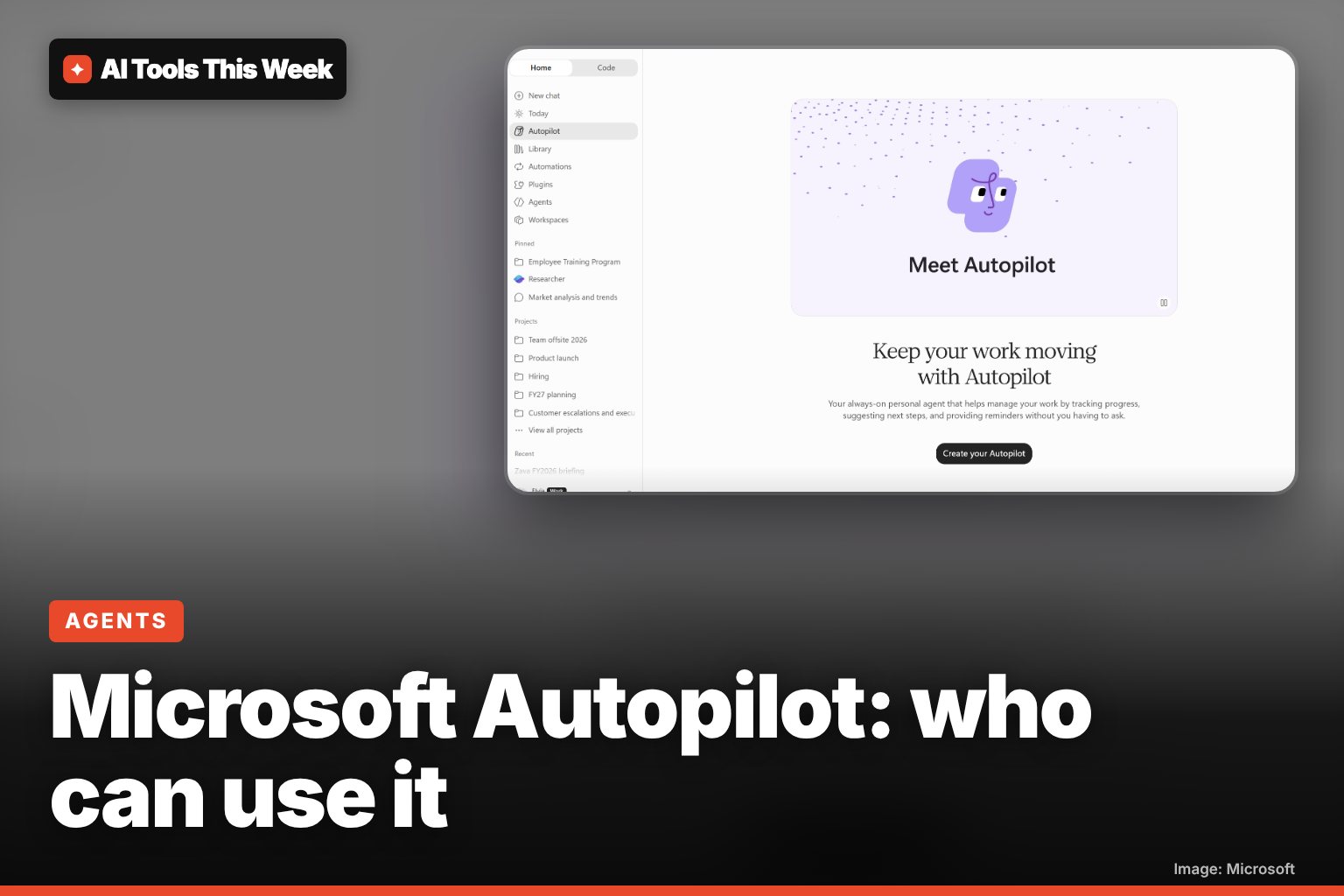
No. Microsoft's Autopilot agent needs a Microsoft 365 Copilot license plus usage-based Copilot Credits, and is in a US-only Frontier preview.
Checked and updated 20 November 2026 at 21:55 UTC
Key points
- Microsoft Autopilot is an always-on AI agent for work: it has its own identity, mailbox, memory and cloud computer, and works for you in Teams, Outlook and the Copilot app.
- It is not free. You need a Microsoft 365 Copilot license, and Autopilot itself is billed by usage in Copilot Credits. Microsoft has not published a per-task price.
- Since November 17, 2026 it is rolling out only to Frontier preview customers, at first eligible US organizations, and is off until an admin turns it on. No date for general release yet.
Microsoft Autopilot is an always-on AI agent that works for you inside Microsoft 365: you give it a name, a role and a goal, and it handles email, Teams messages and scheduling in the background. It is not free: it needs a Microsoft 365 Copilot license plus pay-as-you-go Copilot Credits, and since November 17, 2026 it is only in a preview for business customers in Microsoft's Frontier program, starting in the US.
So if you have a personal Microsoft account or Copilot at home, you can't turn it on yet. Here is what it does, who can get it and what it costs, based on Microsoft's announcement, its admin notice and its pricing page.
What Autopilot does
Microsoft calls Autopilot a "personal teammate". Unlike a normal chatbot that answers one prompt at a time, it keeps working on a goal over days or weeks:
- It has its own identity. Each Autopilot gets its own account, mailbox, storage and remote computer in the cloud, so it keeps working when your laptop is closed.
- It remembers. Memory is always on, so it builds on what it learned last week instead of starting over.
- It knows your work. It is built on Microsoft IQ, so it can draw on your Outlook, meetings, files, chats and colleagues without you connecting anything.
- Other people can talk to it. Colleagues can ask your Autopilot for a meeting slot in Teams, it can email you a weekly summary you reply to, and you can add it to a group chat to take on a follow-up.
- It runs routines. Some jobs are one-off; others repeat, like a Sunday "reset" email.
Microsoft's own examples: blocking travel time on a calendar and removing chosen meeting dates without deleting the whole recurring series, and drafting 40 replies to unanswered Teams chats, sorted by priority, for you to review. Those replies stayed as drafts until the user decided what to send. Booking a whole conference trip is described as the long-term goal, not something it does today.
Is Microsoft Autopilot free?
No. According to Microsoft's admin notice (MC1557730), the person an Autopilot belongs to must have a Microsoft 365 Copilot license, and the organization must turn on consumption billing. Microsoft's pricing page lists Autopilot as a usage-based service on all three Copilot business plans, alongside Copilot Cowork and Code, paid in Copilot Credits. It does not publish a per-task price.
What the license costs today, from Microsoft's pricing page:
| Plan (per user, per month) | Paid yearly | Paid monthly |
|---|---|---|
| Microsoft 365 Copilot Business add-on | $18.00 (promo, normally $21.00) | $25.20 |
| Microsoft 365 Business Standard with Copilot | $23.50 | $28.20 |
| Microsoft 365 Business Premium with Copilot | $32.00 | $38.40 |
Autopilot usage comes on top of these. The $18 add-on price is a first-year promotion that the page says runs from July 1 to December 31, 2026.
Who can use it right now
| Requirement | What Microsoft says |
|---|---|
| Program | Your organization must be enrolled in Frontier, Microsoft's early-access program |
| Region | Initially eligible US customers |
| License | Microsoft 365 Copilot license for the person the Autopilot works for |
| Billing | A Copilot Credits billing policy set up by an admin |
| Default | Off. Admins get 24 hours' notice before it reaches the tenant |
| General release | No date. Microsoft says timing "will be confirmed separately" |
The rollout is in phases, so even eligible companies may not see it yet.
How to turn it on (admins and users)
- Admin: turn on access to Autopilots in the Microsoft 365 admin center.
- Admin: set up a Copilot Credits billing policy.
- Admin: enable Autopilot for a security group.
- User: open the Copilot app, choose Autopilot in the left panel of Copilot Home and select Create Your Autopilot.
- User: give it a name, a role and a goal, then talk to it in Teams, Outlook or the Copilot app.
Privacy and safety: what to know
- Work it does for you uses your permissions, so it can reach what you can reach.
- Automated checks review important actions, but Microsoft says some actions can proceed without a separate confirmation.
- Memory is always on in this release and your Copilot personalization settings don't apply.
- Autopilot conversations are not yet covered by eDiscovery, retention or legal hold, which matters for regulated companies.
Microsoft recommends reviewing it with security and compliance teams before switching it on.
How it compares
Autopilot is part of a wave of always-on agents with their own cloud computer. OpenAI's version is ChatGPT dots, available on Pro and business plans with a small Plus test. If you're new to the idea, our guide to what an AI agent is explains the basics, and our Microsoft Ignite 2026 roundup covers Copilot Code and the other news from the same week.
AI Tools This Week is not affiliated with Microsoft.
Frequently asked questions
Is Microsoft Autopilot free?
No. The person who owns an Autopilot needs a Microsoft 365 Copilot license and the organization must turn on usage-based billing with Copilot Credits. Microsoft's pricing page lists Autopilot as usage-based on every Copilot business plan but gives no per-task rate.
Can I use Microsoft Autopilot with a personal Microsoft account?
Not now. The preview is for business tenants enrolled in Microsoft's Frontier program, initially eligible US customers, and an admin has to enable it for a security group first.
Is Microsoft Autopilot the same as Windows Autopilot?
No. Windows Autopilot is an older IT tool for setting up new Windows PCs. Microsoft Autopilot (sometimes called Copilot Autopilot) is the new AI agent announced at Ignite 2026.
Sources
- Autopilot: meet your trusted personal teammate (Microsoft Copilot Blog, Nov 17, 2026)
- MC1557730 Autopilot availability in Frontier (Microsoft 365 Message Center, via merill.net archive)
- Microsoft 365 Copilot plans and pricing (Microsoft)
- Microsoft launches Autopilot, a personal agent for Copilot (TestingCatalog, Nov 17, 2026)
Related
Microsoft Ignite 2026 announcements: Autopilot, Copilot Code and more
Ignite 2026: Autopilot agent and Copilot Code in Frontier (Code GA planned for December), Office in Copilot GA, MAI-Code-2 GA in GitHub.

What is ARTEX? The AI hacking tool the FBI warned about (Nov 2026)
ARTEX is an AI hacking agent framework. The FBI says attacks took under 3 hours; Amazon says its agents stole AI API keys and tried crypto deepfakes.

Frostbite: the CPU designed by AI agents, explained
Architect Labs says AI agents designed Frostbite, a 7nm CPU with a new instruction set, claiming 4.59x better performance per watt. Not a product yet.